Service Tokens (Profiler & CLI)
Service tokens enable authenticated access for the Zymtrace CLI, Profiling Agent, MCP, as well as programmatic API access to Zymtrace.
When authentication is enabled (local or oidc) along with service token authentication,
both the Zymtrace profiler and Zymtrace CLI can be authenticated using a service token.
Ensure that auth.serviceToken.enabled is set to true in your Helm values.
This enables the service token functionality required for Zymtrace profiler and Zymtrace CLI authentication.
See the overview page for configuration details.
Getting a Service Token
-
Log in to Zymtrace as an admin or user with
service:token:createpermission -
Navigate to Your profile picture → Account → Service Tokens
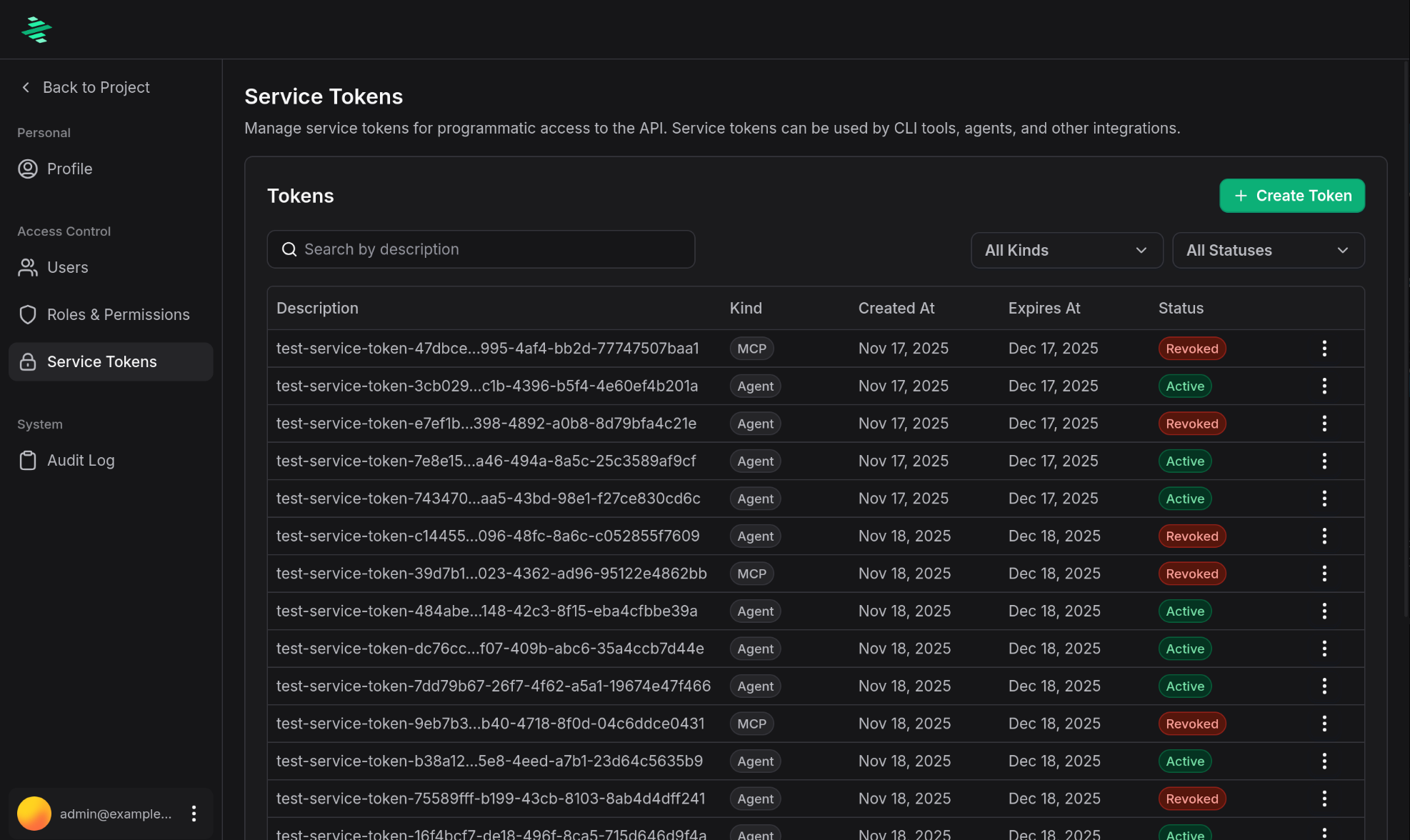
-
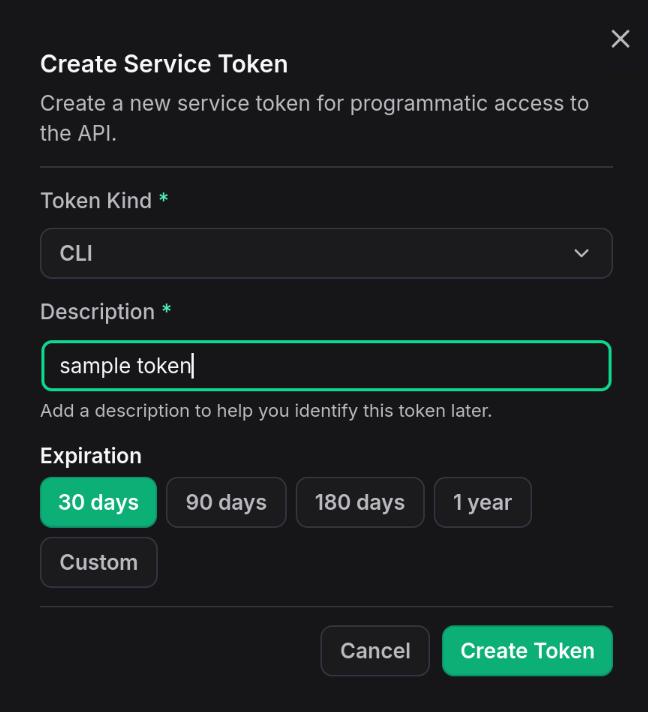
Click Create Token
-
Provide a descriptive name for the token (e.g., "Production Profiler - Server01" or "CI/CD CLI Access"), select when the token should expire and click 'Create Token'
-
Copy the token and store it securely (it won't be shown again)
-
Save the token in a secure location
Using Tokens with Zymtrace Profiler
Pass the token to the profiler using the -auth-token flag:
# Using CLI flag
sudo ./zymtrace-profiler \
  -collection-agent=your-gateway-host.com:443 \
  -auth-token="your-service-token-here"
You can also set the token via environment variable:
export ZYMTRACE_AUTH_TOKEN="your-service-token-here"
sudo ./zymtrace-profiler \
  -collection-agent=your-gateway-host.com:443
- Never commit service tokens to version control
- Rotate tokens periodically
- Use separate tokens for different environments (dev, staging, production)
- Revoke tokens if they are compromised
For AI assistant integration via MCP, see the MCP documentation page.
Token Management
Viewing Tokens
View all service tokens in Zymtrace settings page:
- Navigate to Your profile picture → Account → Service Tokens
- See token name, type, creation date, and expiration
Revoking Tokens
To revoke a service token:
- Navigate to Your profile picture → Account → Service Tokens
- Find the token you want to revoke
- Click the three dots menu
- Select Revoke
- Confirm the revocation
Revoking a token takes effect immediately. Any Zymtrace profiler instances or CLI tools using the token will lose access.